Stake centre AV system
What is in each room, what every control does, and where the equipment is kept. The sound system was replaced in September 2025 and now lives in the Materials Center, not the closet behind the piano.
About the system
The sound (A/V) system installed in September 2025 is in the Materials Center, replacing the one in the closet behind the piano in the chapel.
These zones are self-contained and can run independently of the rest of the building, or be combined. Each has HDMI ports for video from the sound system:
- Chapel
- Relief Society room
- Primary room
- High council room (no standard mic inputs)
- Cultural hall (2 zones)
- Room 107 (the 3-in-1 room)
These rooms can take chapel sound but have no input options of their own:
- Foyers
- Mother's room
- Room 109 (has a special interpreter mic input)
- Room 110
- Serving area
The system also added a camera in the chapel and further input options for video broadcasting.
A wi-fi audio system replaces the old assisted listening system, and can carry the interpretation feed coming in from room 109. Anyone can listen to the chapel, Relief Society room or Primary room through the ListenWIFI app — if sound is being piped into them.
Chapel controls
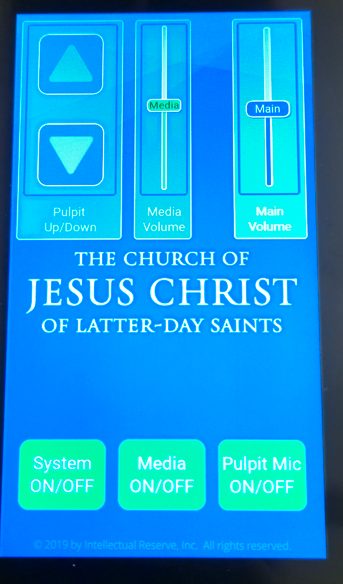
Pulpit controller
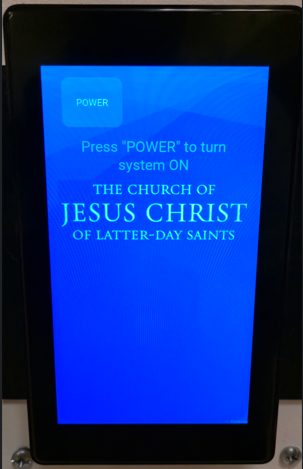
- System on/off — toggles the chapel system.
- Turning off just the pulpit leaves other inputs live.
- Main volume — the pulpit and the other mic inputs into the chapel system.
- Media on/off — lets other audio into the chapel speakers: HDMI, RCA, Bluetooth.
- Media volume — that audio only.
- Pulpit mic on/off — the pulpit mic only.
- Pulpit up / down
- Rear mic inputs — feed Mic #1 and #2 at the rack. Coordinate with the STS before using; normally inactive without an extra mixer in the Materials Center.
Anything feeding chapel audio is also heard in the overflow and the cultural hall when the curtains are open.
Pulpit stand
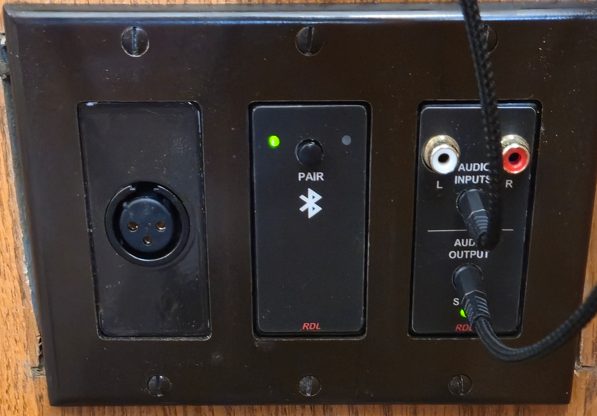
- Mic input — to chapel sound output.
- Bluetooth — pair a device to chapel sound output. Push and hold to pair.
- Audio inputs — audio into chapel sound output (RCA / 3.5 mm).
- Audio outputs — chapel audio out to another device (3.5 mm).
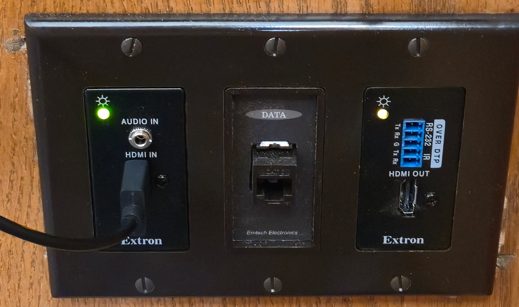
- HDMI in — audio to chapel sound output and video to the sound system. The switch on the rack must be set to “Pulpit” for this video feed.
- Data
- HDMI out — shows the “HDMI in” feed on a TV or projector, when that rack switch is set to “Pulpit”.
Cultural hall
Front (west half)
- Control panel — volume, when running independently of the chapel.
- Bluetooth
- Audio inputs — RCA / 3.5 mm.
- Audio outputs — room audio to another device (3.5 mm).
- Mic input near the floor.
Chapel audio overrides this while the curtains are open. With the curtains closed it will not be heard in the foyers when chapel audio is on, and each half of the hall can run independently of the other.
Rear (east half)
- Control panel — volume, when running independently of the chapel.
- Bluetooth
- Audio inputs — RCA / 3.5 mm.
- Audio outputs — room audio to another device (3.5 mm).
- Mic input near the floor.
Same as the front: chapel audio takes precedence while the curtains are open, it is not heard in the foyers when chapel audio is on and the curtains are closed, and it can run independently with the curtains shut.
Stage
- Two mic inputs under the edge of the stage.
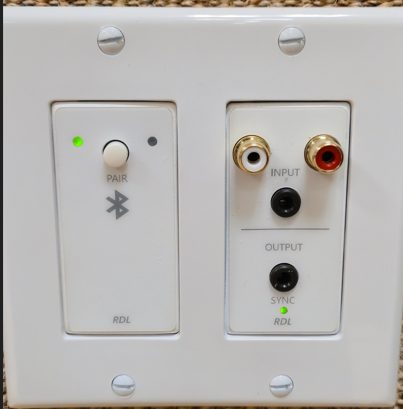
Room 107 (the 3-in-1 room)
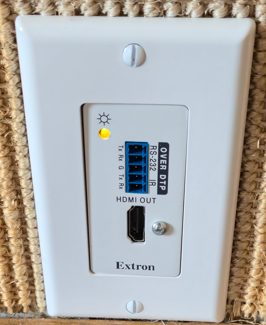
- HDMI out — feed from the rack.
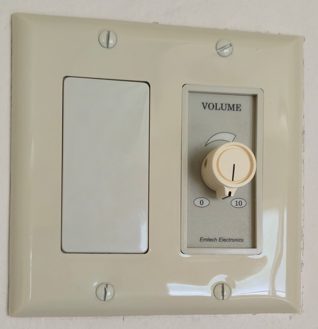
- Audio dial — chapel audio.
Serving area
- Audio dial — chapel audio.
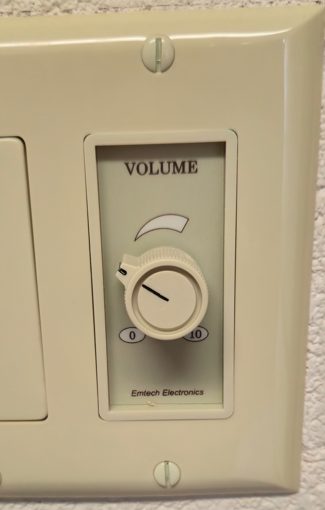
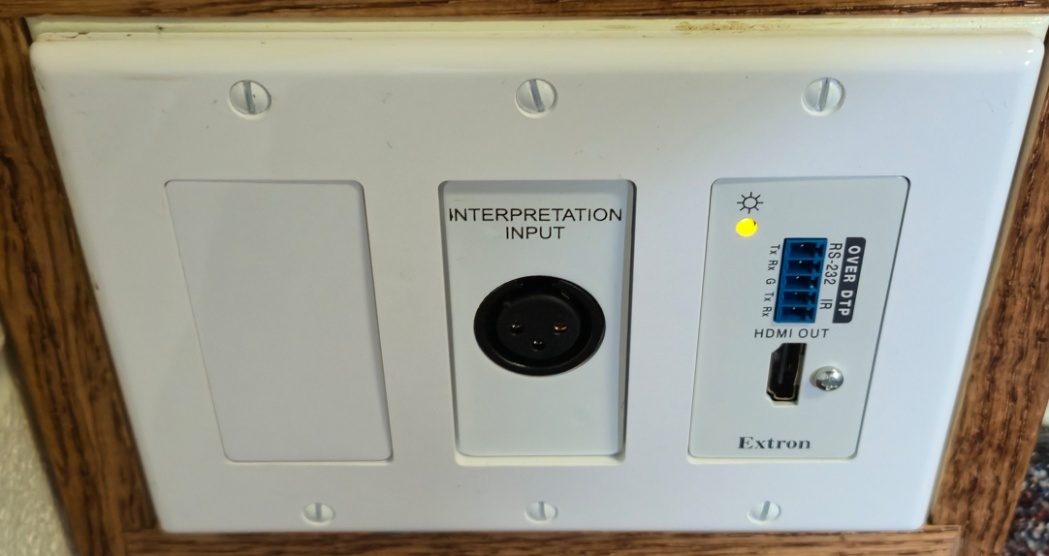
Room 109
Across from the Materials Center, nearest the foyer.
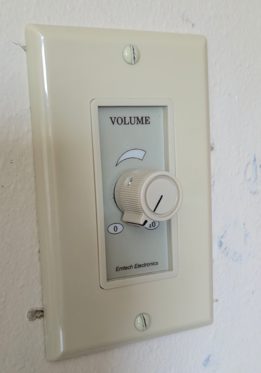
- Audio dial — chapel audio level.
- HDMI out — feed from the rack.
- Mic input — feeds the wi-fi audio for interpretation.
Room 110
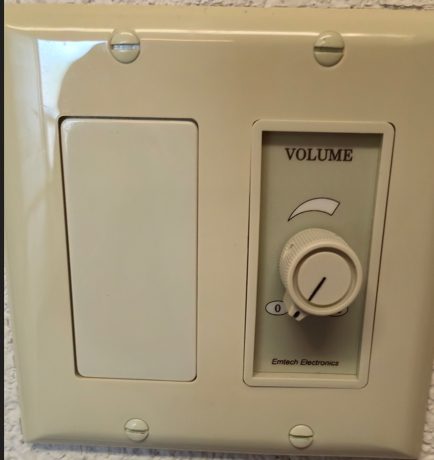
- Audio dial — chapel audio.
Relief Society room
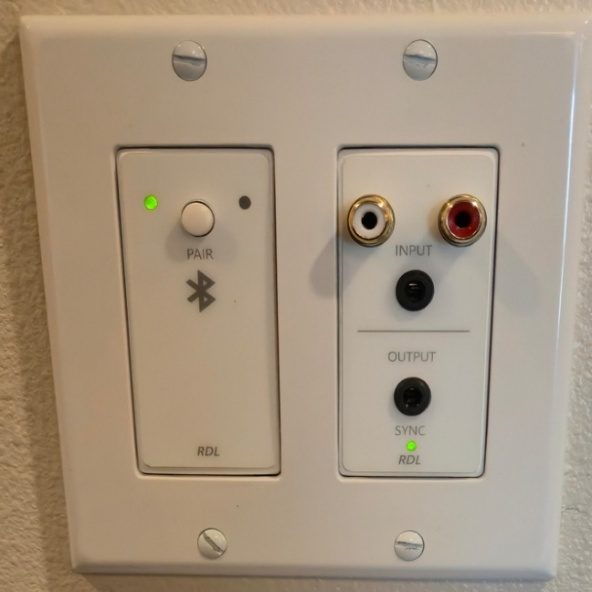
- Bluetooth
- Audio inputs — RCA / 3.5 mm.
- Audio outputs — room audio to another device (3.5 mm).
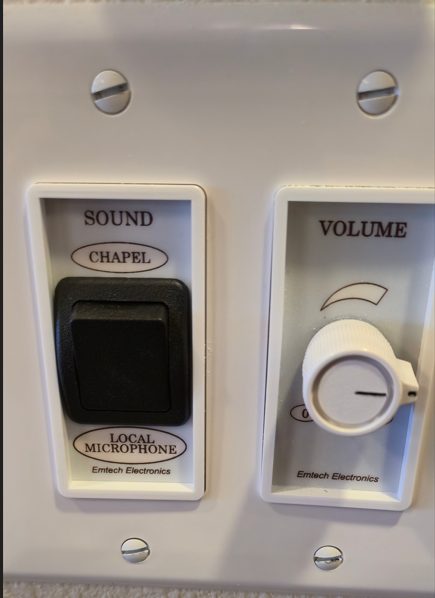
- Toggle — switches the audio between chapel and room.
- Audio dial — chapel or room audio level.
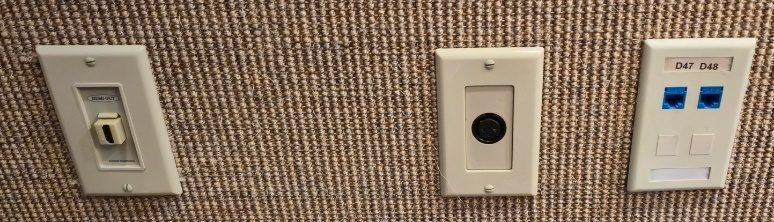
East wall
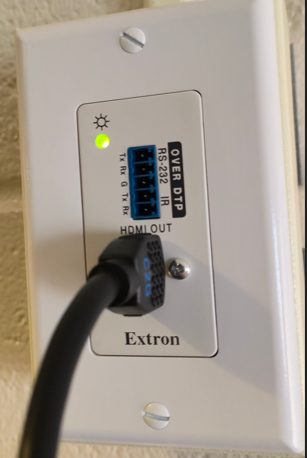
- HDMI out — actually an HDMI input to the TV.
- Mic input — into this room only.
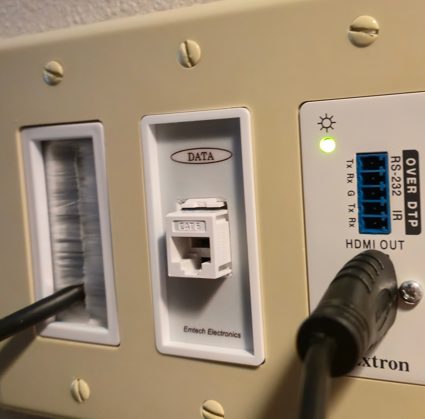
- Data (2)
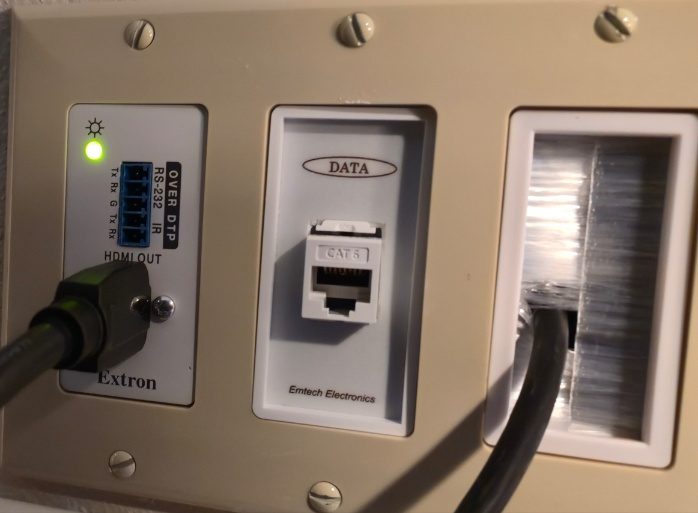
Behind the TV
- HDMI out — feed from the rack.
- Data
- HDMI conduit and cable — HDMI input from the port below.
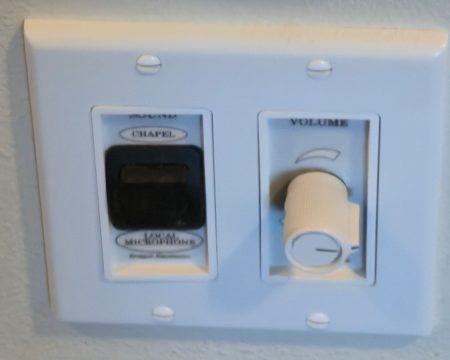
Primary room
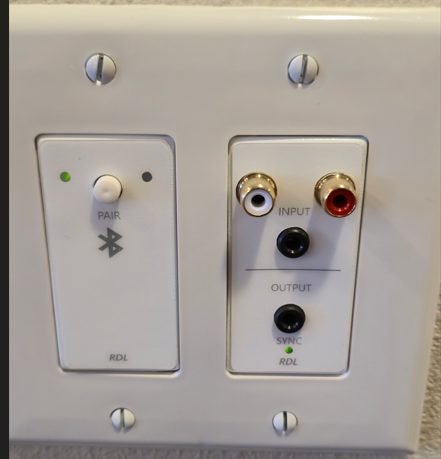
- Bluetooth
- Audio inputs — RCA / 3.5 mm.
- Audio outputs — room audio to another device (3.5 mm).
- Toggle — switches the audio between chapel and room.
- Audio dial — chapel or room audio level.
East wall
- Mic input — into the room. Data
South wall, left of the chalkboard
- Mic input — into the room.
Behind the TV
- HDMI output — feed from the rack.
High council room
No standard mic inputs in this room.
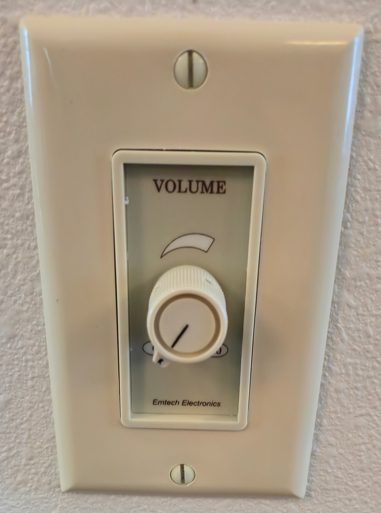
- Audio dial — chapel audio.
Under the TV
- HDMI input — to the TV.
Behind the TV
- HDMI conduit — from the input below.
- Data
- HDMI output — feed from the rack.
Wi-fi audio
The app is ListenWIFI. There is a fuller guide with the install links and step-by-step instructions at sfstake.org/listenwifi.
- Android — ListenWIFI on Google Play
- iPhone — ListenWIFI on the App Store
- Follow the prompts to allow the phone settings the app needs. Select the sound icon at the bottom left or you will hear nothing.
You must be on the Liahona wi-fi.
Three high-output access points were added — in the chapel near the piano, in the chapel overflow, and on the cultural hall stage — to make this work better for people in the chapel or the hall.
Once connected you can listen to:
- Chapel — English, or Spanish if it is being transmitted from room 109
- Primary
- Relief Society
- Front cultural hall
- Rear cultural hall
TVs and projectors
Mounted TVs
The TVs in the Relief Society, Primary and high council rooms have no user-friendly way to cast to them wirelessly. There are add-on wireless dongles mounted on the back, connected to one of the input ports.
You will know you are on one when you see an information screen reading iOS Mode or Android Mode at the top. Pressing the button on the dongle swaps between the two. From there you should be able to cast from your phone by following the instructions on the screen.
TVs on carts
At least two, normally stored in the Materials Center. The larger one is a little picky about what you connect to it, but it does work.
Projectors
Two are in the Materials Center, in the second cabinet set from the right. There is an ultra-short-throw projector in the stake clerk's office — coordinate with the STS before using it. It is mainly for the chapel, so that nobody has to put a table with a projector on it in the pews.
Microphones, cables and stands
Most are in the closet behind the piano in the chapel. Some microphones and cables are in the same cabinet set as the projectors. A couple of stands are kept in the Materials Center so you do not have to interrupt a meeting in the chapel to fetch one for somewhere else in the building.
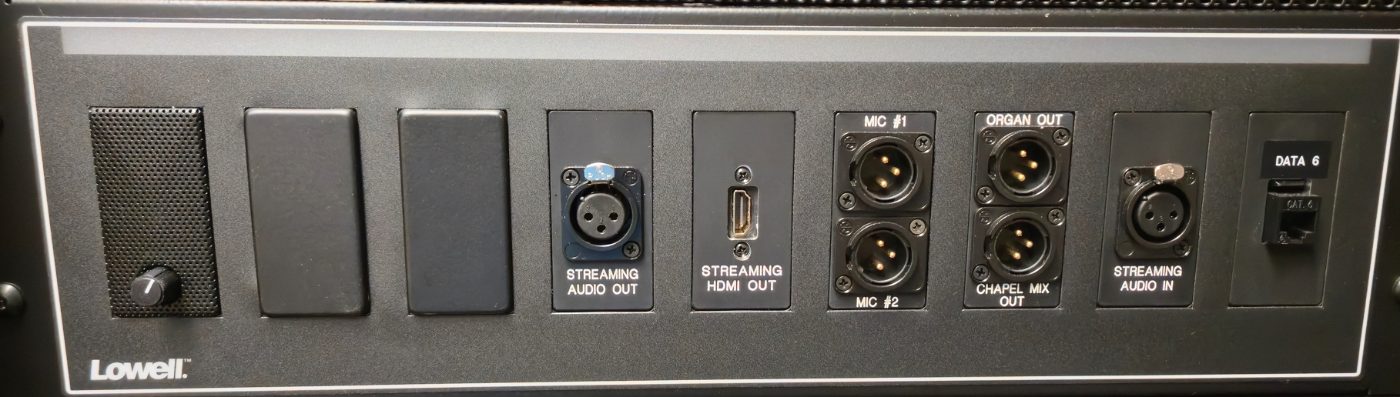
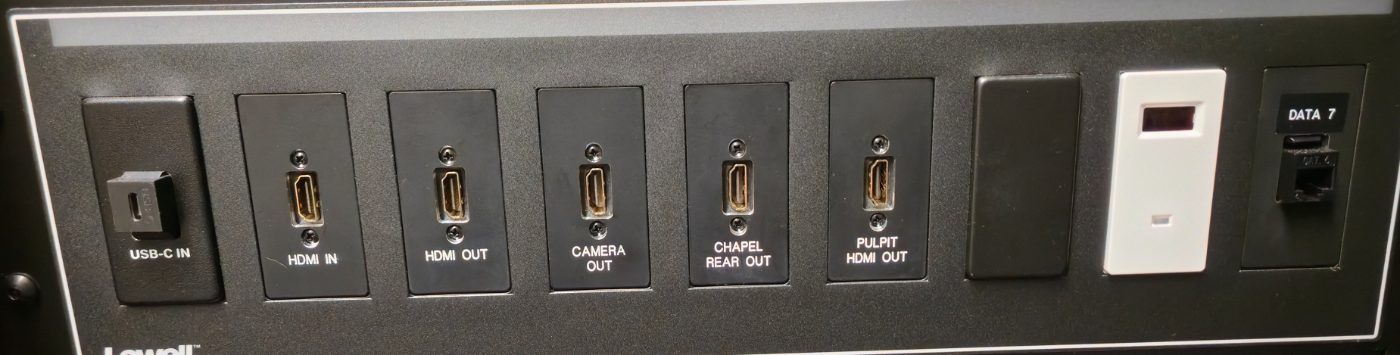
Sound system rack
In the Materials Center.
- Volume toggle — for listening to chapel audio in the Materials Center.
- Streaming audio out
- Streaming HDMI out
- Mic #1 / #2 — from the rear mic inputs behind the chapel pulpit controller.
- Organ out
- Chapel mix out
- Streaming audio in
- Data
- USB-C in — feeds the input switch.
- HDMI in — feeds the input switch.
- HDMI out
- HDMI camera out
- HDMI chapel rear out
- HDMI pulpit out
- IR sensor for the camera remote.
- Data
- Input switch — chooses which feed goes to every HDMI out
port in the building:
USB-C|HDMI IN|CAM|Chapel Rear|Pulpit

Maintained by the Sioux Falls South Dakota Stake technology specialist. This is not an official website of The Church of Jesus Christ of Latter-day Saints. Anything that needs the STS is marked above; for anything else, speak to your ward technology specialist.